Remove Activation Lock Without the Previous Owner
Stuck on the lock to owner screen? Enter your device and start the unlock. Guides and unlock tools matched to your device.

Find your IMEI or serial
On the Locked to Owner screen, tap the info icon in the corner.
Why Trust LockedToOwner.com
Clear pricing, official paths, and step-by-step guides for legitimate Apple device owners
No hidden fees
$7.99 per month. Cancel anytime.
Secure & Private
Your data is encrypted and protected throughout enrollment
Legitimate Only
For verified device owners - we do not serve stolen or lost devices
Fast start
Open your unlock path the same day after joining
The problem
Stuck on activation lock?
Shops quote $50 and up. Apple Support needs documentation. The screen does not change on its own. The guide starts from that exact error.
Unlock shops quote $50+ and still can't help without the original Apple ID
Apple Support needs proof of purchase you may not have
Free forum advice contradicts itself and risks damaging your device
Why LockedToOwner.com
Clear guides matched to your device, from $7.99/mo.
Anyone Can Use It
Fixing a locked device starts with a simple online form. You don't need to be an IT expert - just follow the matched guide steps.
Start the Same Day
Enter your device free, then open your unlock guides immediately after joining. Guide length varies by path.
Transparent Pricing
Membership access is billed monthly. No hidden fees - price shown before checkout.
Available Worldwide
LockedToOwner.com is available 24/7 for Apple device owners around the world.
All Apple Devices
Guides cover iPhone, iPad, and Apple Watch models. Enter your device to confirm compatibility.
Safe & Secure
We never ask for your Apple ID password. Your enrollment data is encrypted and protected.
How it works
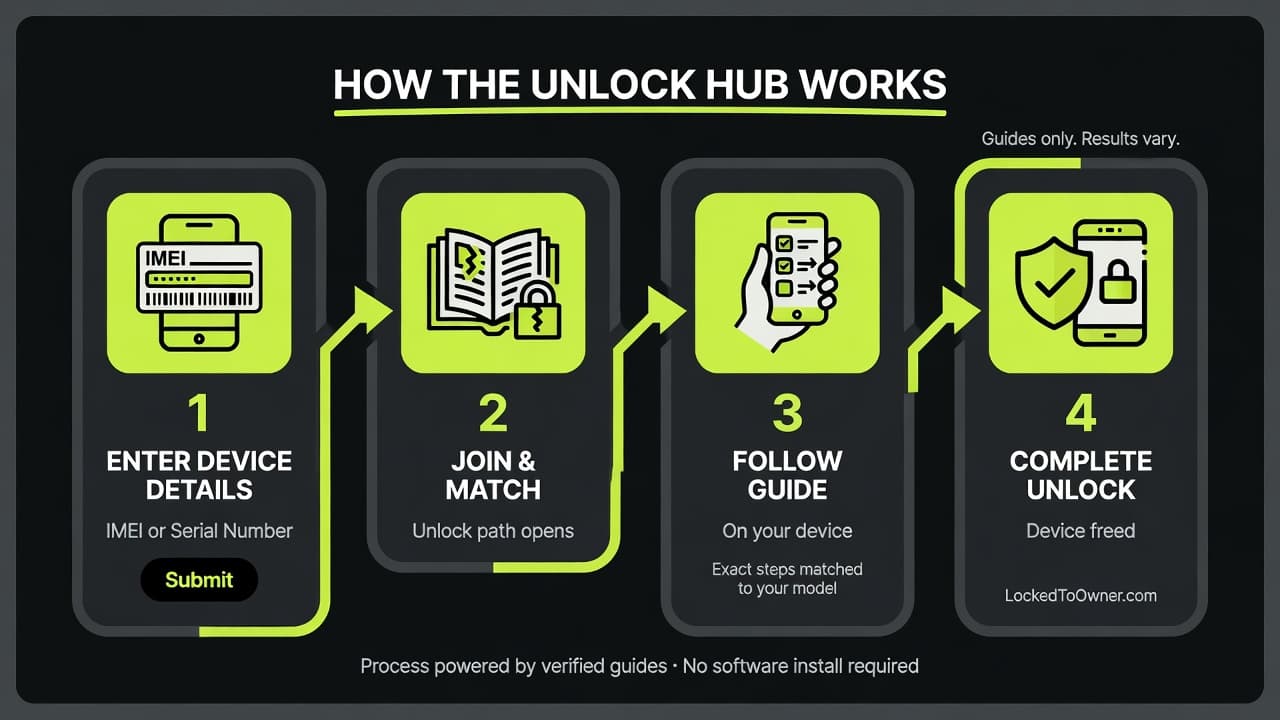
- 1
Enter Your Device
Tell us your Apple device and lock type. Takes 30 seconds.
- 2
Open the unlock path
Guides and unlock tools after you join. Open your unlock path and follow the walkthroughs.
- 3
Follow the steps
You follow the steps. We do not perform the unlock. Results vary.
Unlock guides by model
Each model has its own Locked to Owner page with a specific title, header, and walkthrough.
Pricing
Full guide access
Unlock shops charge $50+. Get unlock guides, unlock tools, and member access with LockedToOwner.com.
$50 unlock shop average
- Activation lock guides included
- Step-by-step unlock walkthroughs
- Member access after you join
- Cancel anytime
Frequently Asked Questions
Get started
Ready to start your unlock path?
Enter your device and open your personalized activation lock guide for $7.99 per month.
Start my Unlock JourneyWhat you are getting
LockedToOwner access: Activation lock guides, unlock tools, software links, and walkthroughs. You follow the steps on your device. We do not perform the unlock for you. Results vary.
Subscription: $7.99 per month. Cancel anytime.