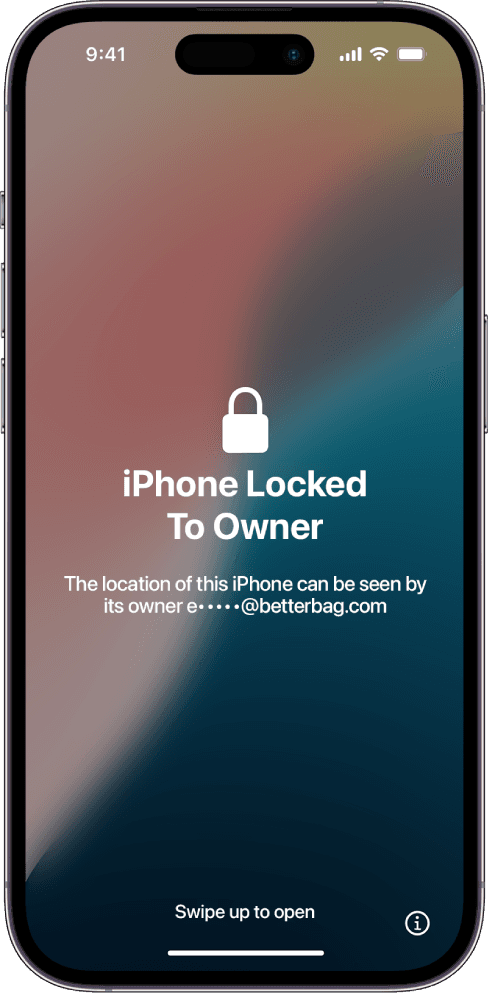
An iPhone SE 4 locked to owner is the 2025 SE redesign sitting on Apple's activation lock. USB-C and Face ID make it look like a mainstream iPhone, not the old Home button SE. The lock is still Find My. The phone already proved it is genuine hardware. Setup will not finish until the Apple Account that enabled Find My releases the serial or Apple accepts a documented ownership claim.
A lot of buyers still picture the cheap SE as a Touch ID brick that somehow lives outside iCloud. That rumor was wrong on SE 3 and it is wrong here. Face ID did not invent the lock, and dropping the Home button did not invent a bypass. If the previous owner left Find My on, you get the same Apple ID prompt after Hello.
Why people mix SE 4 lock rules with old Touch ID units
SE 2 and SE 3 kept the iPhone 8 silhouette. Marketplace slang still calls any small Home button phone an SE. Shoppers who grew up on those units repeat a bad shortcut: Touch ID means no iCloud lock. Fingerprint hardware never talked to Apple's activation database. It only signed you into a phone that had already activated.
SE 4 breaks the visual habit. There is no circle button to hide behind. Sellers now lean on the opposite line: it is just an SE, so Find My will not stick. Treat both lines as noise. Watch someone erase the SE 4 over USB-C and reach a setup screen that never asks for an Apple Account. If they will not do that live, walk.
How to confirm you actually bought an SE 4
- Charge port is USB-C. Lightning means you are holding an older SE or an iPhone 8 class body.
- Wake screen uses Face ID framing, not a Home button. A fingerprint circle is a different generation.
- Lock screen info panel should name iPhone SE, not iPhone 16 or a random 14-style body with a fake label.
- IMEI on that panel must match the box and any receipt. A mismatch is a board swap before it is a lock case.
If the handset is the 2022 Home button model, switch pages. The cable and the biometrics differ even though the lock math is the same. Use iPhone SE 3 locked to owner for that chassis.
Official ways to release this USB-C SE
If you can reach the previous owner, they should sign in at iCloud Find, select the SE 4, and remove it from the account. The phone can activate on the next restart. If the SE 4 is yours and you forgot the password, start account recovery, then read Apple's lock note HT201365. Support can review a receipt that lists this IMEI or serial and matches your ID.
When those doors are closed, enter the SE 4 below. Membership is $7.99 per month. The walkthrough covers the official request path and tool sequences people use when Apple declines. You do the work on the phone. We do not unlock it for you. Results vary. If you bought a USB-C flagship by mistake, see iPhone 15 locked to owner.