Why Trust LockedToOwner.com
Clear pricing, official paths, and step-by-step guides for legitimate Apple device owners
No hidden fees
$7.99 per month. Cancel anytime.
Secure & Private
Your data is encrypted and protected throughout enrollment
Legitimate Only
For verified device owners - we do not serve stolen or lost devices
Fast start
Open your unlock path the same day after joining
Choose your Device to Unlock
Having Locked to Owner Issues?
If you Accidentally Locked it
Forgot your Login ID and Password
Purchased a Locked Second Hand Device
Lost your Receipt or Proof of Purchase
Locked Apple Device? Don't Panic!
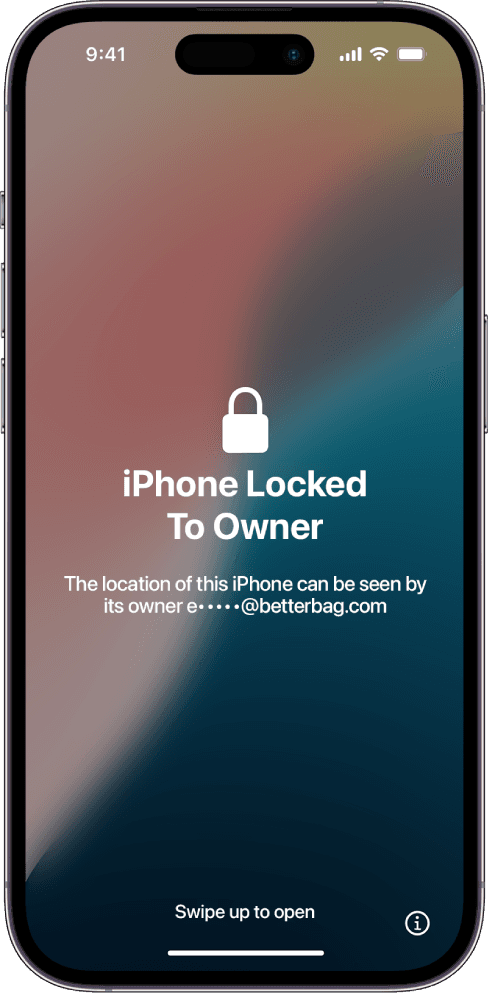
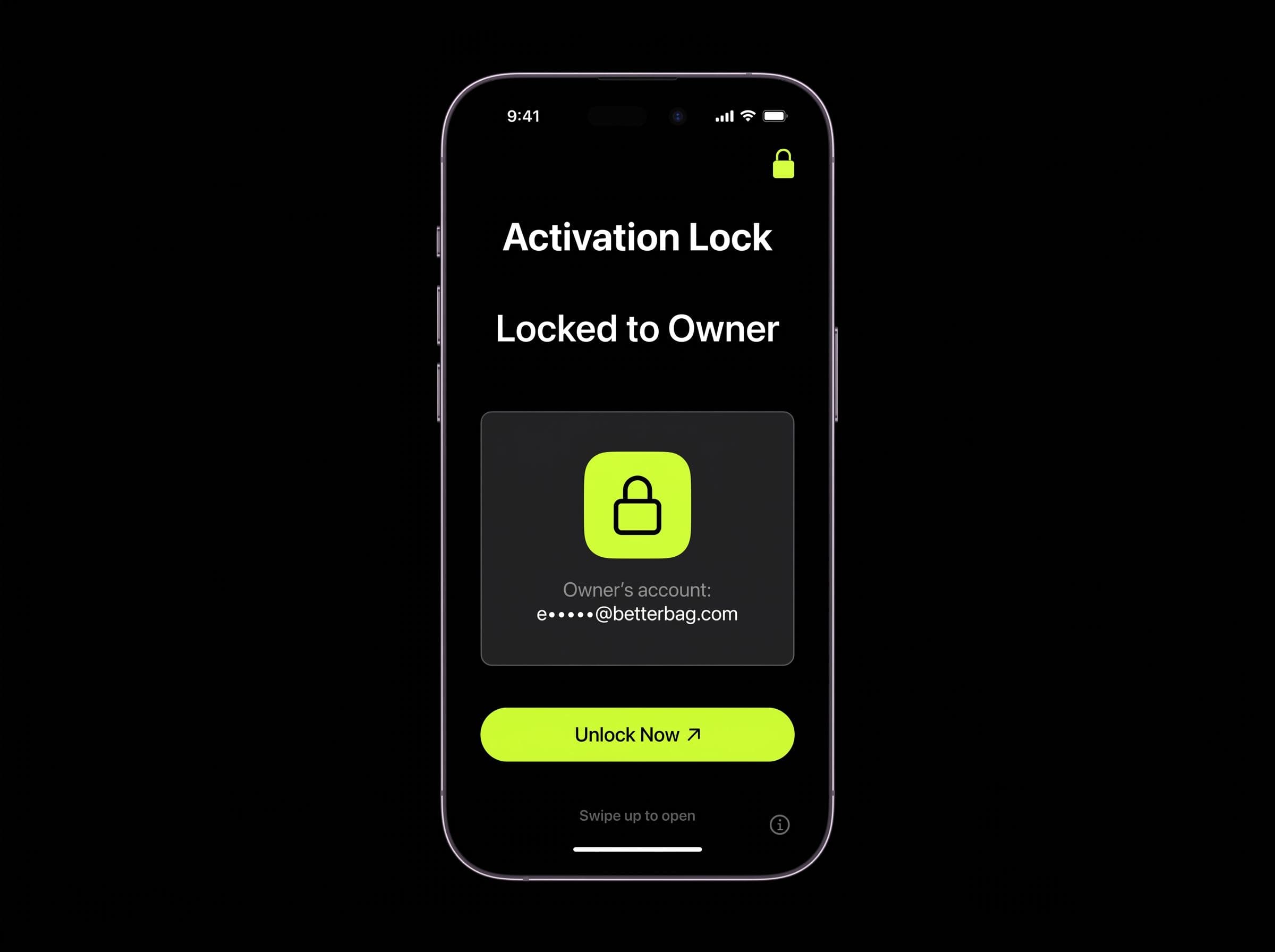
The "Locked to Owner" screen means iCloud Activation Lock is active - also called iCloud Lock or Activation Lock. It blocks setup until the linked Apple Account is removed.
LockedToOwner.com matches your device to step-by-step unlock guides, official Apple paths, software links, and walkthroughs. Start your unlock path or read about our mission.
No Technician Required
Follow clear walkthroughs from your computer or phone. LockedToOwner.com is available 24/7 with guides matched to your iPhone, iPad, or Apple Watch - including the latest models. Enter your device free, then open your unlock path after joining.


Your unlock path, matched to your device
Stop guessing on forums. LockedToOwner.com walks you through official Apple recovery paths, account recovery options, and tool-based workflows for your exact device. Guides cover iPhone, iPad, and Apple Watch models from recent generations. Results vary by situation - you run each step yourself.
Legal for Device Owners
Activation lock guides are legal when you own the device or have authorization to service it. LockedToOwner.com does not perform unlocks - we provide educational walkthroughs. We never ask for your Apple ID password.
You follow the steps. We do not perform the unlock. Results vary.
Understanding iCloud Activation Lock
Learn how Apple's sophisticated security feature protects devices and what it means for ownership, enterprise management, and device recovery.
Server-Side Security
Not stored on device hardware
How iCloud Activation Lock Works
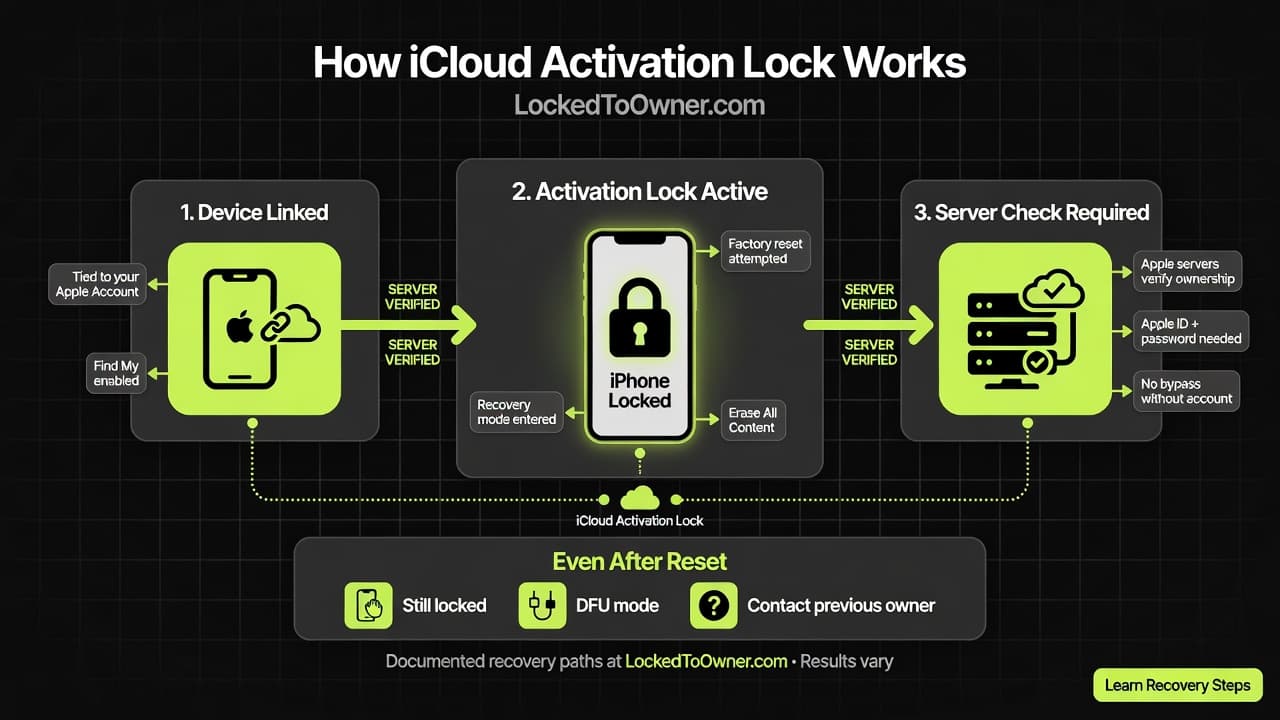
iCloud Activation Lock is Apple's server-side security feature that permanently links your device to your Apple Account. When Find My is enabled, Apple's activation servers store your credentials alongside your device's unique hardware identifiers.
This creates an unbreakable bond that persists through factory resets, firmware updates, and even complete data erasure. The device must authenticate with Apple's servers during every activation attempt.
Why It Works
Local software manipulation cannot bypass server-side verification. The device must successfully authenticate with Apple's remote infrastructure to achieve full functionality.
Why this matters for your unlock path: LockedToOwner.com teaches documented recovery paths - official Apple options, tool walkthroughs, and member resources. You follow the steps on your device. Results vary.
Two Worlds of Activation Lock
The operational impact depends entirely on whether the device is linked to a personal or managed account.
Personal Account Lock
High RiskStandard consumer setup where device is linked to personal Apple ID.
Enterprise Risk
- • Employee departure = stranded asset
- • IT cannot remove without personal credentials
- • Immediate capital loss upon separation
Corporate/Organization Lock
Managed SolutionDevices managed through organizational Apple Accounts with structured asset management.
Key Benefits
- • Centralized account management
- • Efficient device reassignment
- • Structured asset lifecycle
Authorized Removal Pathways
Legitimate methods for removing iCloud Activation Lock require either account access or official documentation.
LockedToOwner Guide Membership
When manual Apple paths are not available, LockedToOwner.com matches your device to step-by-step activation lock guides, unlock tool walkthroughs, and member resources.
What membership includes
- ✓ Step-by-step activation lock guides
- ✓ Unlock tool and software walkthroughs
- ✓ Member access after you join
- ✓ Unlock guides and tool walkthroughs
Official paths still apply
- ✗ Apple Account access is still required for official removal
- ✗ Proof of purchase may be required for Apple Support
- ✗ No method guarantees removal in every situation
- ✗ We do not perform unlocks on your behalf
Secondary Market Considerations
Used device transactions require extreme diligence. The "iPhone Locked to Owner" screen is your most important warning.
Third-Party IMEI Checkers
Unofficial services claiming to verify lock status introduce significant risks:
- Device location tracking exposure
- Personal data interception risk
- IMEI cloning for fraudulent purposes
Safer approach: Enter your device on LockedToOwner.com to match documented guide paths instead of sharing your IMEI with untrusted checkers. You control what you submit.
Safe Purchase Protocol
The only reliable verification method requires witnessing the complete process:
Required Steps
- 1. Be present during device erasure
- 2. Verify device reaches "Hello" setup screen
- 3. Confirm no Apple ID prompts appear
- 4. Complete setup with new account
Before you buy: If a device is still locked, use LockedToOwner.com to understand your guide options before purchase. We provide education and walkthroughs - not a performed unlock service.
Latest iOS: Hardware Component Locking
Apple's latest security evolution extends Activation Lock to individual hardware components, revolutionizing repair economics. Our service supports all latest iOS versions.
What's New
- Internal components (displays, cameras, batteries) can carry Activation Lock
- Parts harvested from locked devices remain unusable
- Original owner's Apple ID required for component unlock
Impact on Repair Industry
Repair Protocol: Repair systems detect locked parts and require original owner verification via Find My. Independent repair options are significantly constrained.
This development strengthens Apple's authorized service network while creating new liability concerns for device repair and asset management.
Start Your Unlock Guide Path
LockedToOwner.com helps device owners navigate activation lock with step-by-step guides, unlock tool walkthroughs, and member access after you join. You follow the steps on your device. We do not perform the unlock for you. Results vary.
Guide Library
- ✓ Official Apple recovery paths
- ✓ Tool and software walkthroughs
- ✓ Device-specific instructions
- ✓ Member access after you join
Transparent Pricing
- ✓ Enter device details free
- ✓ Price shown before checkout
- ✓ Billed monthly
- ✓ Cancel anytime
Compliance First
- ✓ For devices you legally own
- ✓ Educational membership product
- ✓ No performed unlock claims
- ✓ Results vary by situation
Educational product: LockedToOwner.com provides activation lock guides and educational resources for devices you legally own or are authorized to work on. We do not perform unlocks or guarantee results. You follow the steps. Results vary.
What we help with
Every name for your lock. One place to start the unlock path.
People search the same problem under dozens of names. However your screen reads, you get unlock guides, unlock tools, and member access. One $7.99 membership covers all of it.
Also called
iPhone locked to owner, iPad locked to owner, Apple Watch locked to owner, iCloud lock, activation lock, Find My lock, lock to owner screen
Stuck on the lock to owner screen? Enter your device and start the unlock. Guides and unlock tools matched to your device.
What you get
Guides, unlock tools, and member access
One LockedToOwner.com membership covers activation lock on iPhone, iPad, and Apple Watch. You follow the steps on your device.
Step-by-Step Guides
Follow clear activation lock instructions matched to your iPhone, iPad, or Apple Watch.
Unlock Apps & Tools
Get access to unlock tools for your situation, matched to your device and lock type.
Member Access
After you join, open your member access for the unlock guides, tool links, and walkthroughs.
How it works
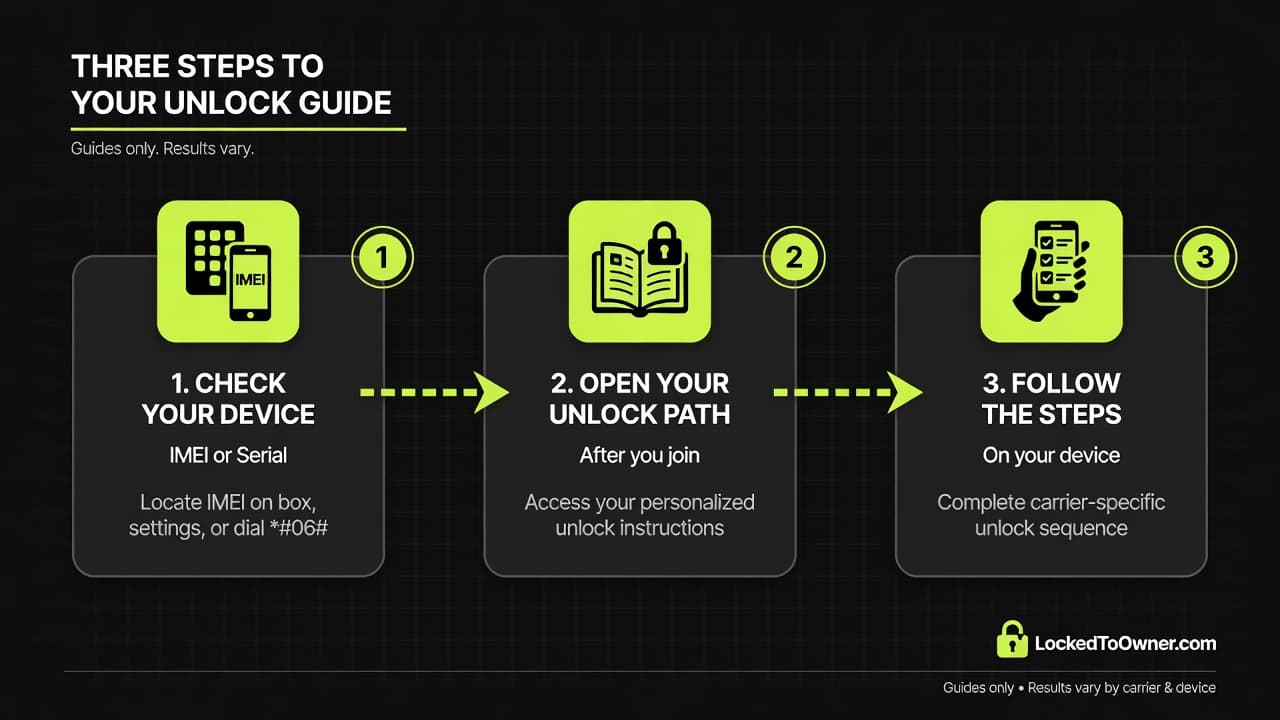
Three steps to your unlock guide
- 1
Check your device
Enter your device. About 30 seconds.
- 2
Open your unlock path
Guides, unlock tools, and member access after you join.
- 3
Follow the steps on your device
You follow the steps. We do not perform the unlock. Results vary.
Unlock guide access
- Step-by-Step Guides
- Unlock Apps & Tools
- Member Access
You follow the steps. We do not perform the unlock. Results vary.
Pricing
Full guide access
Unlock shops charge $50+. Get unlock guides, unlock tools, and member access with LockedToOwner.com.
$50 unlock shop average
- Activation lock guides included
- Step-by-step unlock walkthroughs
- Member access after you join
- Cancel anytime
From people who started the guide
Clear steps beat a $50 shop quote
Results may vary by device, carrier, and ownership history.
“The locked-to-owner guide laid out Apple's official steps and what to try when Support said no. I finally understood my options instead of guessing on forums.”
“Shops wanted $80 just to look at it. The LockedToOwner guide matched my iPhone model and walked me through the official Apple path first.”
“Clear videos, tool links that weren't random downloads, and step-by-step instructions matched to my iPad.”
“I thought I needed some expensive service. The guide showed me which path applied to my situation and what documents I'd need.”
Results may vary.
Frequently Asked Questions
Ownership, pricing, and what you get with LockedToOwner.com
Get started
Ready to start your unlock path?
Enter your device and open your personalized activation lock guide for $7.99 per month.
Start my Unlock JourneyWhat you are getting
LockedToOwner.com access: Activation lock guides, unlock tools, software links, and walkthroughs. You follow the steps on your device. We do not perform the unlock for you. Results vary.
Subscription: $7.99 per month. Cancel anytime.
What you are getting
LockedToOwner access: Activation lock guides, unlock tools, software links, and walkthroughs. You follow the steps on your device. We do not perform the unlock for you. Results vary.
Subscription: $7.99 per month. Cancel anytime.