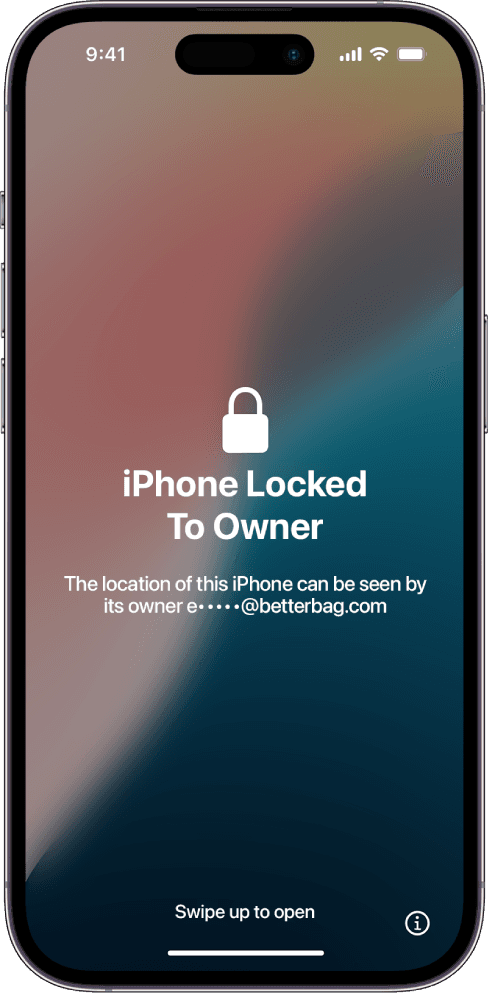
An iPhone SE 3 locked to owner is the 2022 Home button phone asking for someone else's Apple Account after a wipe. A15 inside a Lightning chassis made it a bargain daily driver. That same bargain look is why flippers erase it, photograph the Hello screen, and hope you never sit through setup.
From across a parking lot it is an iPhone 8. Same 4.7-inch slab, same circular Touch ID, same Lightning notch in the plastic. Sellers count on that blur. They say it is a clean SE, or they say Touch ID phones cannot carry iCloud lock. Both lines are sales talk. The bind lives on Apple's servers, not under the Home button.
Why the iPhone 8 silhouette helps hide the lock
Used-phone trays lump SE 2, SE 3, and leftover 8 units together. A factory reset makes every one of them look honest. The lock only appears after the phone talks to activation. If the seller will not erase the SE 3 in front of you and continue past the country screen, assume Find My is still attached. A home-screen photo from last week proves nothing.
Red flags on a used SE 3 listing
- Price sits far below other A15 phones with the same storage, and the seller refuses a live erase.
- Photos show a home screen or a box, never the setup flow after a wipe.
- They call it unlocked and mean a carrier SIM, not Find My. Those are different locks.
- IMEI in the ad does not match the IMEI under the lock screen info icon when you meet.
- They insist Touch ID hardware means Apple cannot bind the device. That is false.
What actually releases an SE 3
The previous owner removes the phone in iCloud Find. If you own the Apple Account, recover it, then follow Apple's Activation Lock overview in HT201365. Apple Support can review a receipt that prints this exact IMEI or serial. Shops that sell a one-time code are not writing to that database.
Enter the SE 3 here when those paths stall. Access is $7.99 per month. The guide walks official requests and tool sequences for this Lightning model. You operate the handset. We do not perform the unlock. If the phone in your hand has USB-C and Face ID, you want iPhone SE 4 locked to owner. Another Lightning body from the same era is iPhone 14 locked to owner.