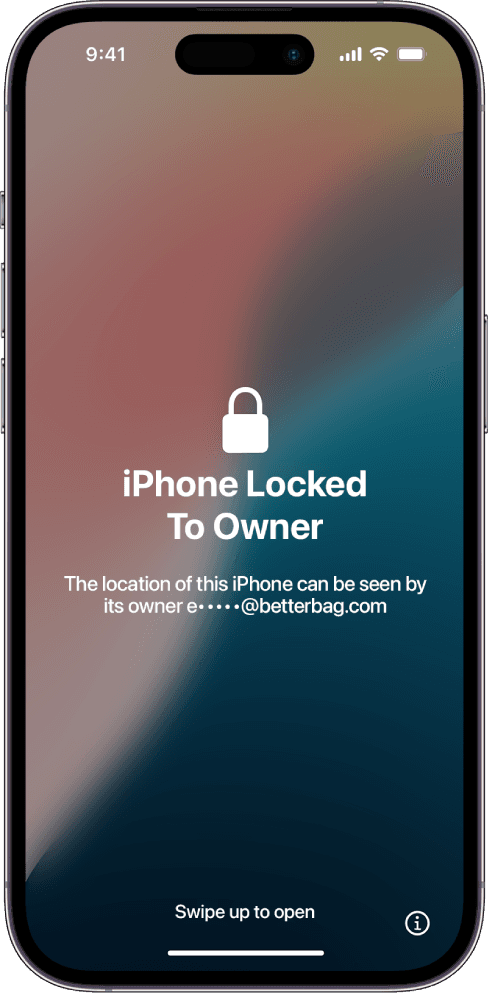
An iPhone 14 locked to owner is stuck on Apple's Activation Lock after a reset. This was the last year the base flagship shipped with Lightning, Crash Detection, and Emergency SOS via satellite. None of those extras move the Find My bind. The serial still has to leave the original Apple Account before setup will continue.
Used 14s stay common because they are cheap enough for a daily driver and new enough for current iOS. Sellers wipe them so the home screen looks clean. A wipe never clears the server record. You meet the same lock after Hello.
Why a 2022 Lightning 14 still shows the lock
iPhone 14 talks to Apple's activation service the same way later USB-C models do. Find My stores the IMEI and serial against one account. Lightning on the bottom edge does not create a back door. Neither does a DFU restore from a Mac.
Watch a live erase if you are buying. The 14 must reach a setup screen that never asks for someone else's Apple ID. If the seller will only show a wallpaper, walk away.
Carrier lock and iCloud lock on the same iPhone 14
Plenty of 14 units left stores on installment plans. That is why this generation shows a carrier policy and an iCloud lock at once. A shop that "unlocks the network" has not touched Find My. You can still be stuck on Locked to Owner with a perfectly usable radio.
Apple explains the Find My side in HT201365. The previous owner should remove the 14 in iCloud Find. If the 14 is yours, recover the account first, then try activation again.
What this iPhone 14 guide covers
Submit the device below. Membership is $7.99 per month. The path walks through account recovery, the Find My removal request, and tool walkthroughs people use when Apple will not help. You follow the steps. We do not operate the handset. Results vary.
If the body is the taller 6.7-inch sibling, switch to iPhone 14 Plus locked to owner. Stainless steel with Dynamic Island is iPhone 14 Pro locked to owner.