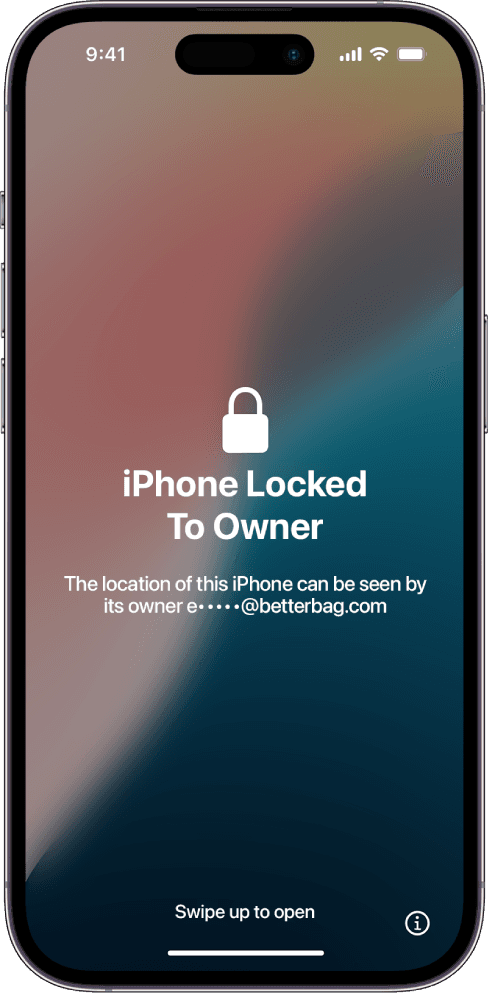
An iPhone 17 locked to owner is stuck on Apple's activation lock, also called iCloud lock or Find My lock. The phone already proved it is genuine hardware. It will not finish setup until the Apple Account that enabled Find My signs off or Apple removes the bind after a successful ownership review.
The 17 is the high-volume model in this generation, so it shows up constantly on marketplace listings. Sellers erase it to look clean. Erase does nothing to the server-side bind. You still see the same lock after Hello.
Why the iPhone 17 keeps the lock after a wipe
iPhone 17 uses Apple's current activation stack. Find My enrollment stores the IMEI and serial against an Apple Account. Latest iOS also pairs more replacement parts to that account, so a swapped screen or battery from another locked 17 can carry the same warning.
That is why used-phone checklists that stop at "it turns on" fail. You need to watch someone erase the 17 and reach a setup screen with no Apple ID prompt. If they will not do that, treat the listing as locked.
Official paths that still work on iPhone 17
If you can reach the previous owner, the fastest fix is still iCloud Find. They sign in, select the iPhone 17, and remove it from the account. The phone can activate on the next restart.
If the 17 is yours and you forgot the password, start at iforgot.apple.com. Apple documents the lock itself in HT201365. Apple Support can review proof of purchase when the account is gone. They ask for a receipt that shows the IMEI or serial and matches your ID.
What this iPhone 17 guide covers
After you enter the device, membership access is $7.99 per month. The iPhone 17 path walks through account recovery, the Find My removal request, and tool walkthroughs people use when Apple will not help. You follow the steps. We do not perform the unlock.
The same library also covers nearby models if you bought the wrong listing. See iPhone 17 Pro locked to owner or the thinner iPhone Air locked to owner guide if that is the phone in your hand.