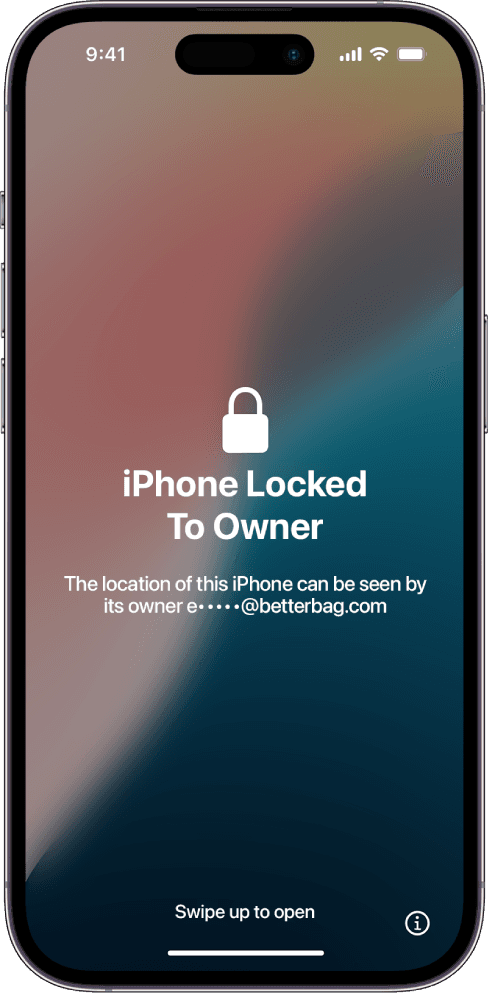
iPhone Air Locked to Owner

Apple's thin iPhone Air, listed here as iPhone 17 Air, uses the same Find My activation lock as the rest of the 17 lineup.

Step 1 of 3Device details

Find your IMEI or serial

Tap the info icon on the Locked to Owner screen.

Device: iPhone Air

iPhone Air Locked to Owner screen on iPhone 17 Air

iPhone Air locked to owner (also searched as iPhone 17 Air locked to owner) is Activation Lock on Apple's new thin handset. People buy it used because it looks like a different product line. The lock screen is the same one the 17 and 17 Pro show.

The Air is easy to flip in a coat pocket and easy to list without a box. That combination produces a lot of "works except iCloud" ads. If the seller cannot erase it in front of you, assume Find My is still on.

What is unique about the Air lock case

Internals are packed tighter than the standard 17. Repair shops already warn that donor parts from a locked Air can inherit pairing messages. That does not unlock a locked Air, and it does not create a back door. It only means a cheap screen swap is a bad first move.

Identify the phone from the model name on the lock screen info panel or the box. If you actually have a base 17, switch to iPhone 17 locked to owner.

How to work an iPhone Air that will not activate

Ask the previous owner to remove the Air in Find on iCloud. If the Air is yours, recover the Apple Account. Apple's overview is Activation Lock.

When those doors are closed, enter the Air IMEI or serial here. The matched guide covers official requests plus tool walkthroughs for this model. You run the steps. We do not unlock it for you. Results vary.

Common questions about iPhone 17 Air

Is iPhone Air the same as iPhone 17 Air?
Yes. Apple markets the thin model as iPhone Air. LockedToOwner.com also lists it as iPhone 17 Air so it sits with the 17 series in the model menu.
Does the thin body make Activation Lock easier to bypass?
No. Thickness does not change the server bind. Anyone selling an 'Air bypass' is guessing.
My iPhone Air shows a parts warning after a screen swap. Is that Locked to Owner?
Not always. Parts pairing can warn about a display while setup still works. Locked to Owner blocks setup entirely and names the Apple Account.
How do I start the iPhone Air guide?
Submit the IMEI or serial from the lock screen. We match a guide to this Air. You follow the walkthroughs on the device you own.

Start the iPhone 17 Air unlock path

Enter the IMEI or serial from the lock screen. We match a guide to this iPhone 17 Air. You follow the steps. Results vary.

Start my Unlock Journey

What you are getting

LockedToOwner access: Activation lock guides, unlock tools, software links, and walkthroughs. You follow the steps on your device. We do not perform the unlock for you. Results vary.

Start my Unlock Journey